> ## Documentation Index
> Fetch the complete documentation index at: https://developers.techwolf.ai/llms.txt
> Use this file to discover all available pages before exploring further.
# How It Looks
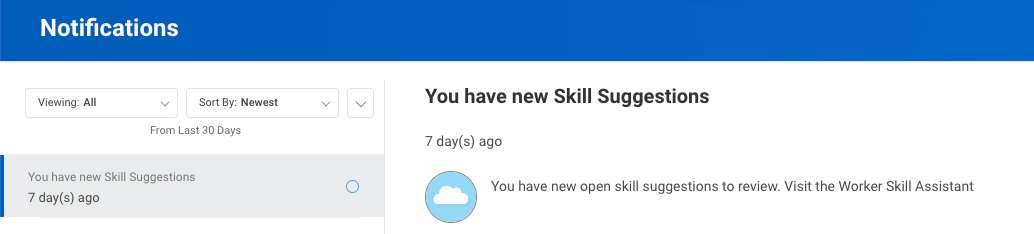
# Notifications
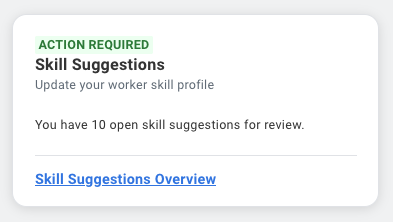
 # Home card
 # App Home Screen
 The **Description** and **Sources** columns are optional and can be shown or
hidden per customer preference.
# Validation flow
## Suggestions
The **Description** and **Sources** columns are optional and can be shown or
hidden per customer preference.
# Validation flow
## Suggestions
 As on the App Home Screen, the **Description** and **Sources** columns are
optional and can be shown or hidden per customer preference. The optional
**Required job skill** column marks which suggested skills are critical to the
Employee's current Job.
## Self-rating Proficiency levels
As on the App Home Screen, the **Description** and **Sources** columns are
optional and can be shown or hidden per customer preference. The optional
**Required job skill** column marks which suggested skills are critical to the
Employee's current Job.
## Self-rating Proficiency levels
 ## Skills summary without Self-rated Proficiency Levels
 ## Skills summary with Self-rated Proficiency Levels
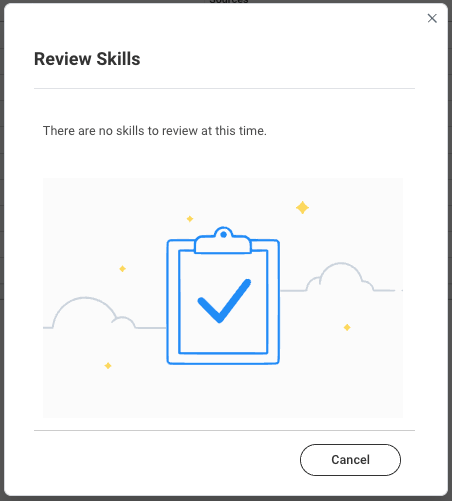
 ## No more suggestions
 # Skill Profile tab
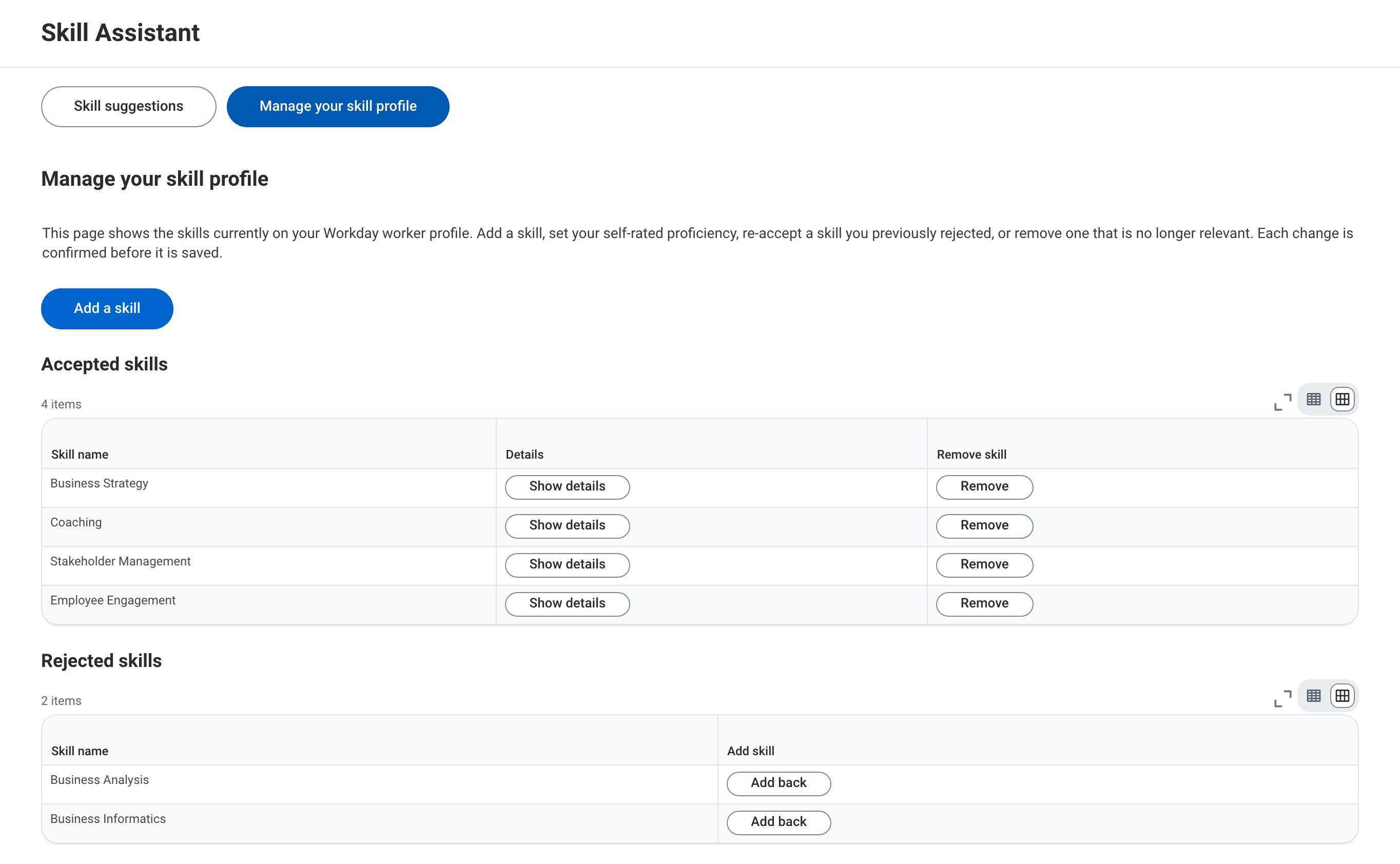
The **Manage your skill profile** view lets employees manage their skill
profile at any time, see the [how it works](/integrations/skill-assistant/workday/how-it-works#employee-skill-profile-tab)
page.
## Example: Normal Skill Profile Management
In this example, the Employee can manage their Skill Profile by adding or
removing Skills, and by adding back a Skill they rejected earlier. The
**Details** column is optional and can be shown or hidden per customer
preference.
# Skill Profile tab
The **Manage your skill profile** view lets employees manage their skill
profile at any time, see the [how it works](/integrations/skill-assistant/workday/how-it-works#employee-skill-profile-tab)
page.
## Example: Normal Skill Profile Management
In this example, the Employee can manage their Skill Profile by adding or
removing Skills, and by adding back a Skill they rejected earlier. The
**Details** column is optional and can be shown or hidden per customer
preference.
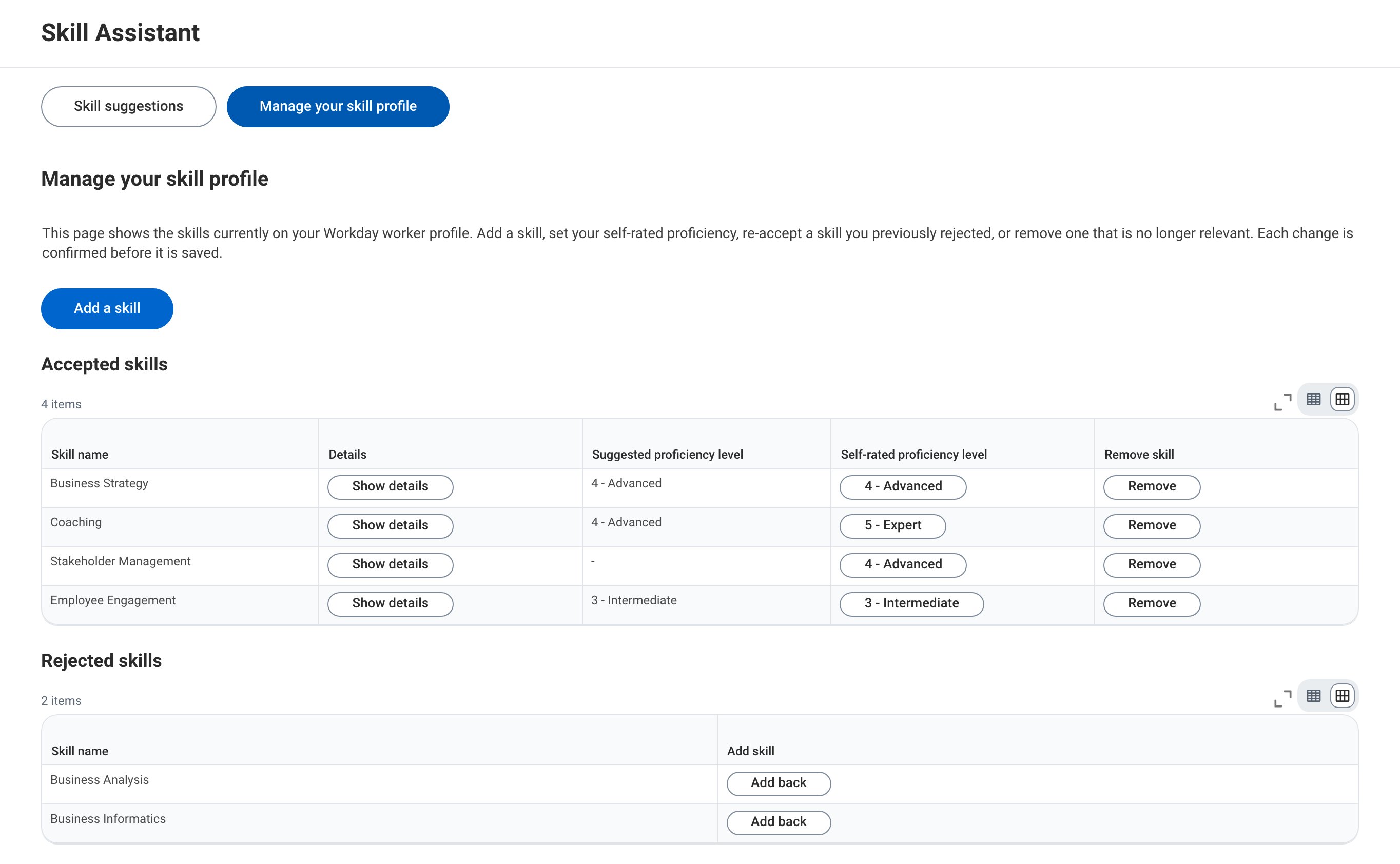
 ## Example: Skill Profile Management including suggested and self-rated proficiency levels
The functionality can be extended to let the user govern their proficiency level
for each skill. Each level has a descriptive label so that the Employee knows
what each level means. When available, a suggested proficiency level per skill
is shown; a skill without one shows a dash.
## Example: Skill Profile Management including suggested and self-rated proficiency levels
The functionality can be extended to let the user govern their proficiency level
for each skill. Each level has a descriptive label so that the Employee knows
what each level means. When available, a suggested proficiency level per skill
is shown; a skill without one shows a dash.
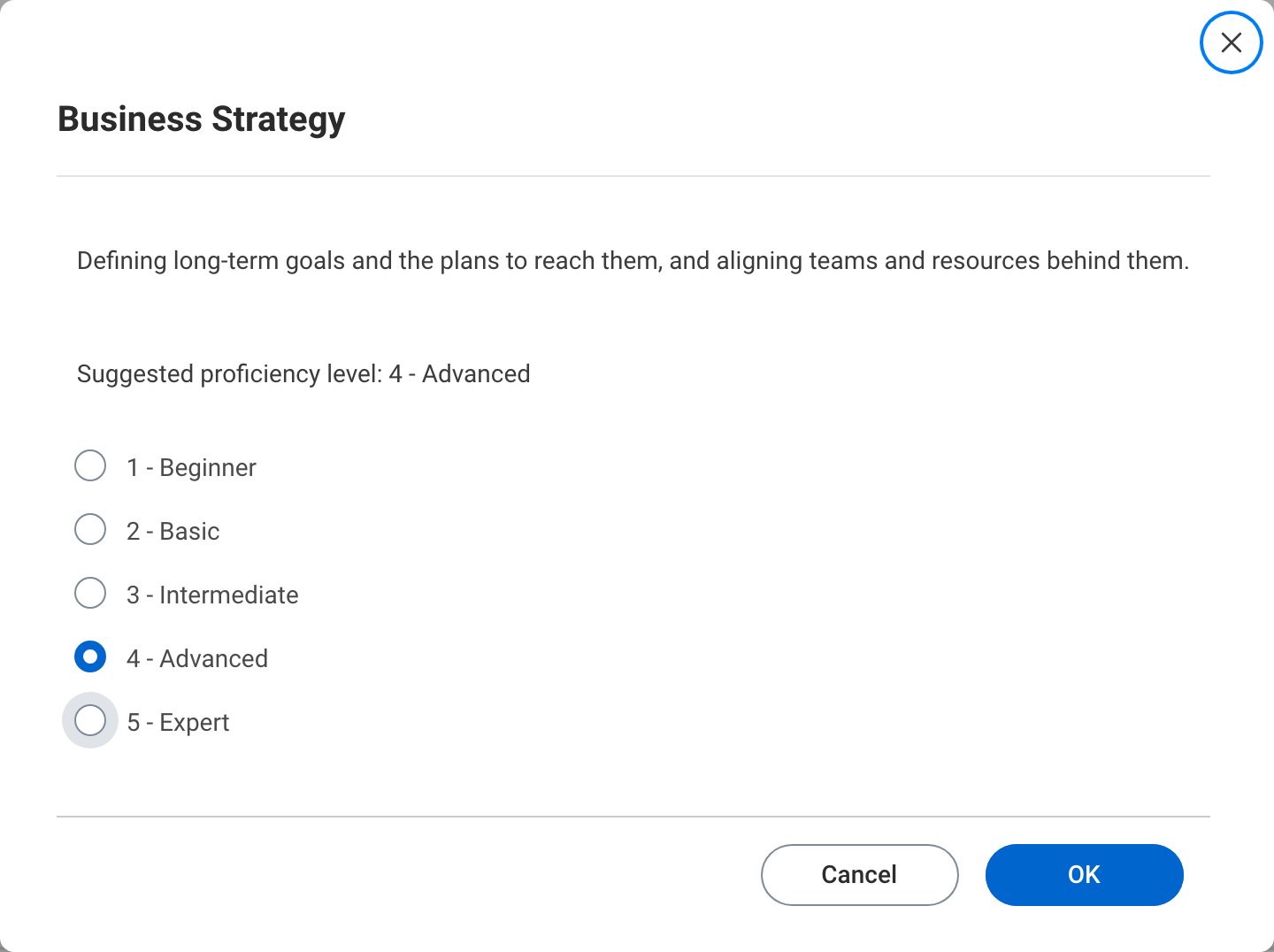
 Self-Rated Skill proficiency levels can be updated by the Employee by clicking
on the current level and picking a different one. The same popup opens from
the **Show details** button and also shows the skill description and the
suggested level.
Self-Rated Skill proficiency levels can be updated by the Employee by clicking
on the current level and picking a different one. The same popup opens from
the **Show details** button and also shows the skill description and the
suggested level.
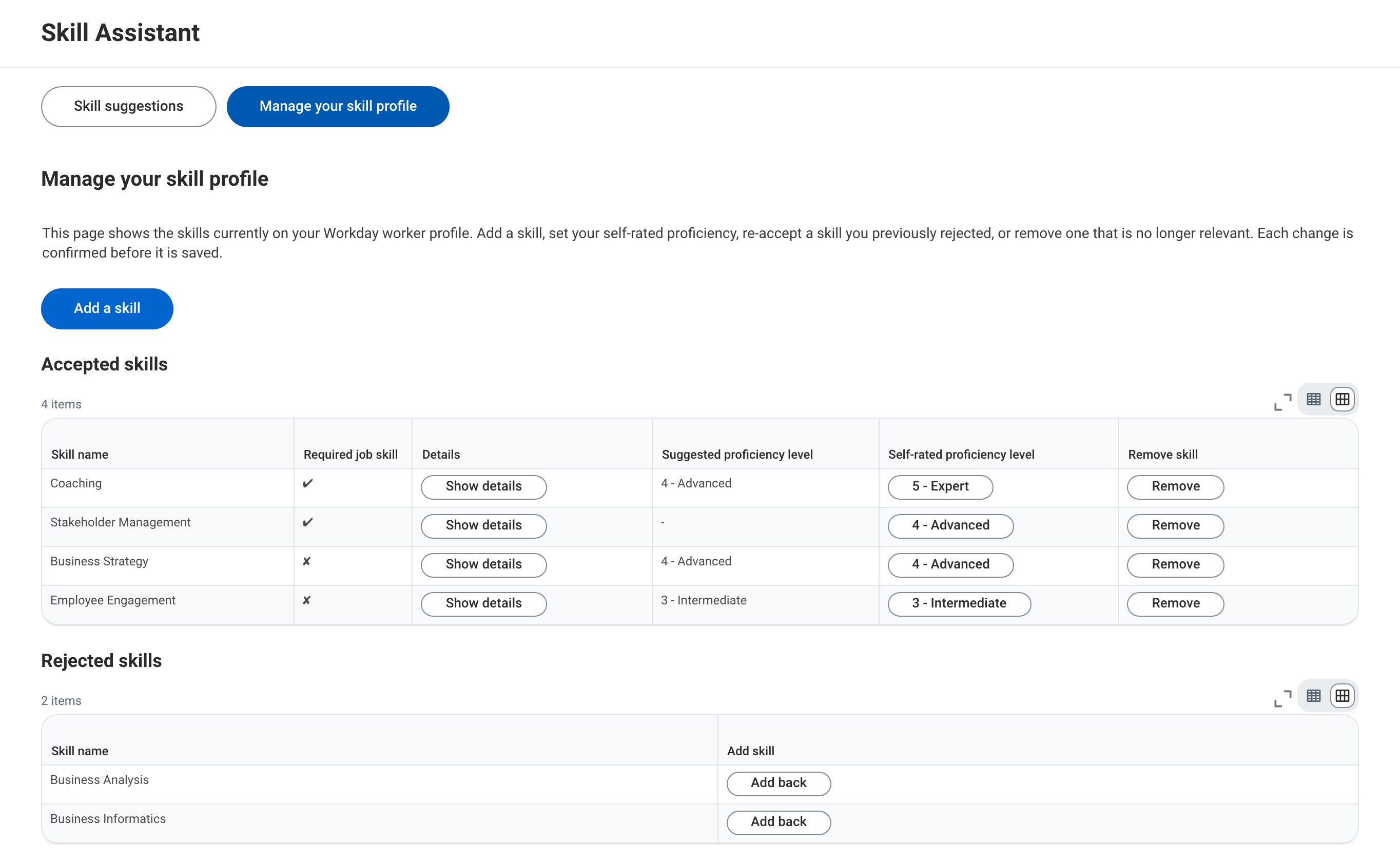
 ## Example: Skill Profile Management including job-critical skills
The functionality can be extended to show which Skills are critical to the
Employee's current Job. A **Required job skill** column marks each Skill, and
the job-critical Skills are listed first, so the Employee knows which Skills
matter most and which to rate first.
## Example: Skill Profile Management including job-critical skills
The functionality can be extended to show which Skills are critical to the
Employee's current Job. A **Required job skill** column marks each Skill, and
the job-critical Skills are listed first, so the Employee knows which Skills
matter most and which to rate first.
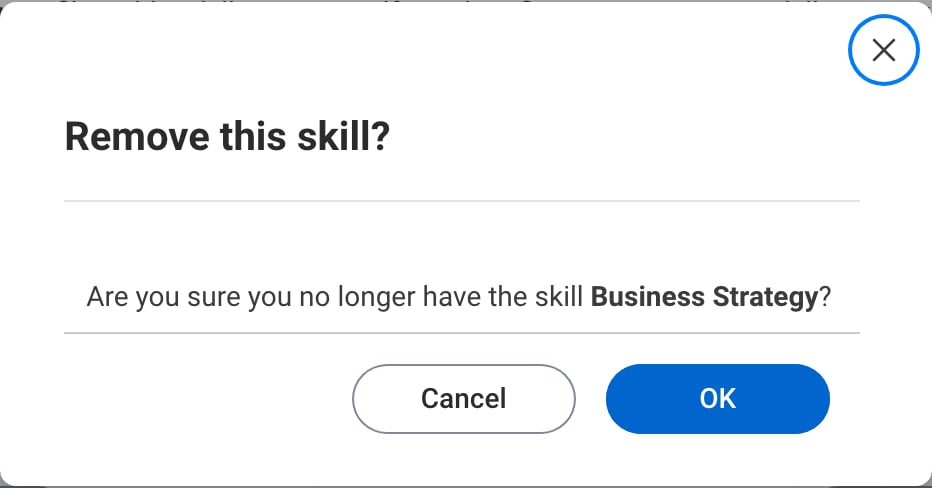
 ## Example: Removing a skill and adding one back
Removing a skill asks for confirmation first.
## Example: Removing a skill and adding one back
Removing a skill asks for confirmation first.
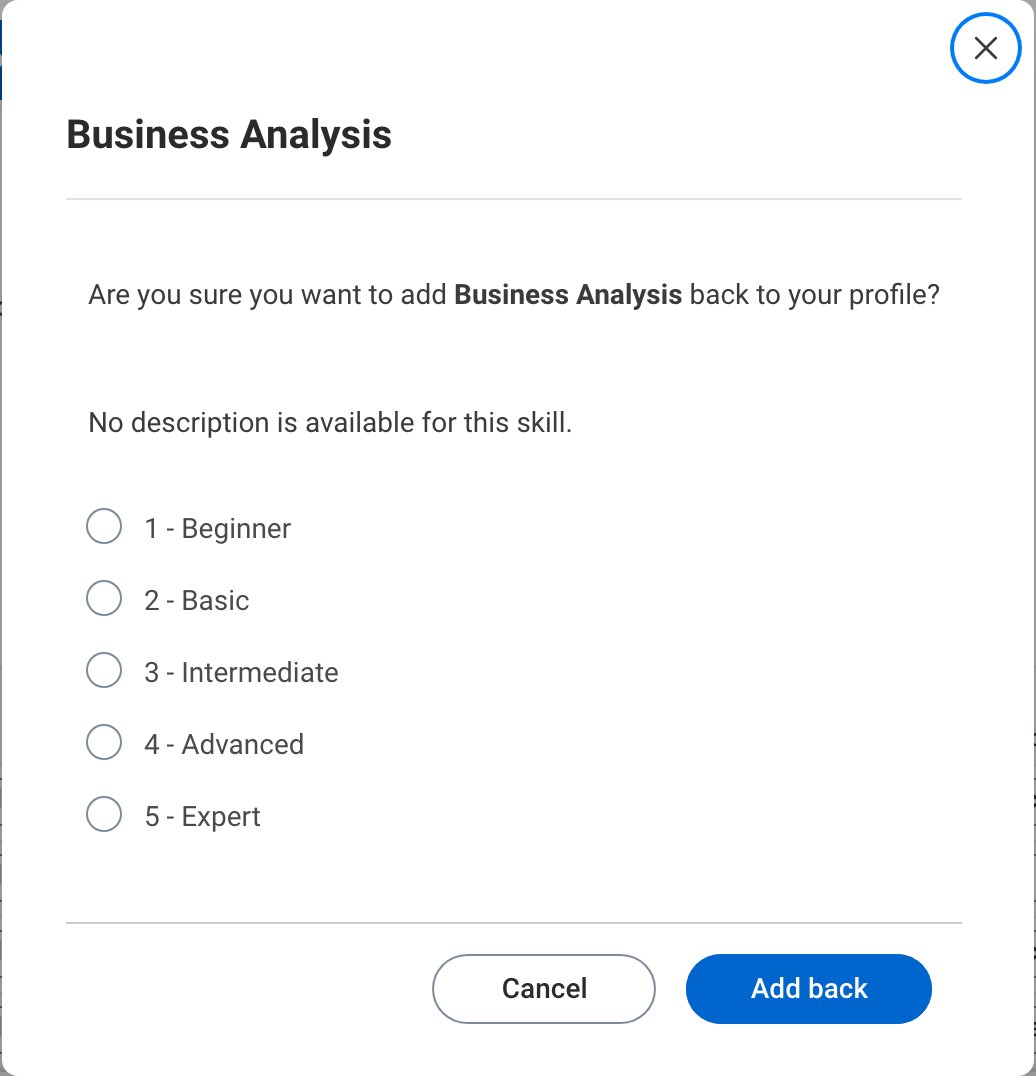
 Adding back a skill that was rejected earlier also asks for confirmation, and
shows the skill description. When proficiency levels are used, the Employee
picks their level before adding the skill back.
Adding back a skill that was rejected earlier also asks for confirmation, and
shows the skill description. When proficiency levels are used, the Employee
picks their level before adding the skill back.
 ## Example: Adding a skill
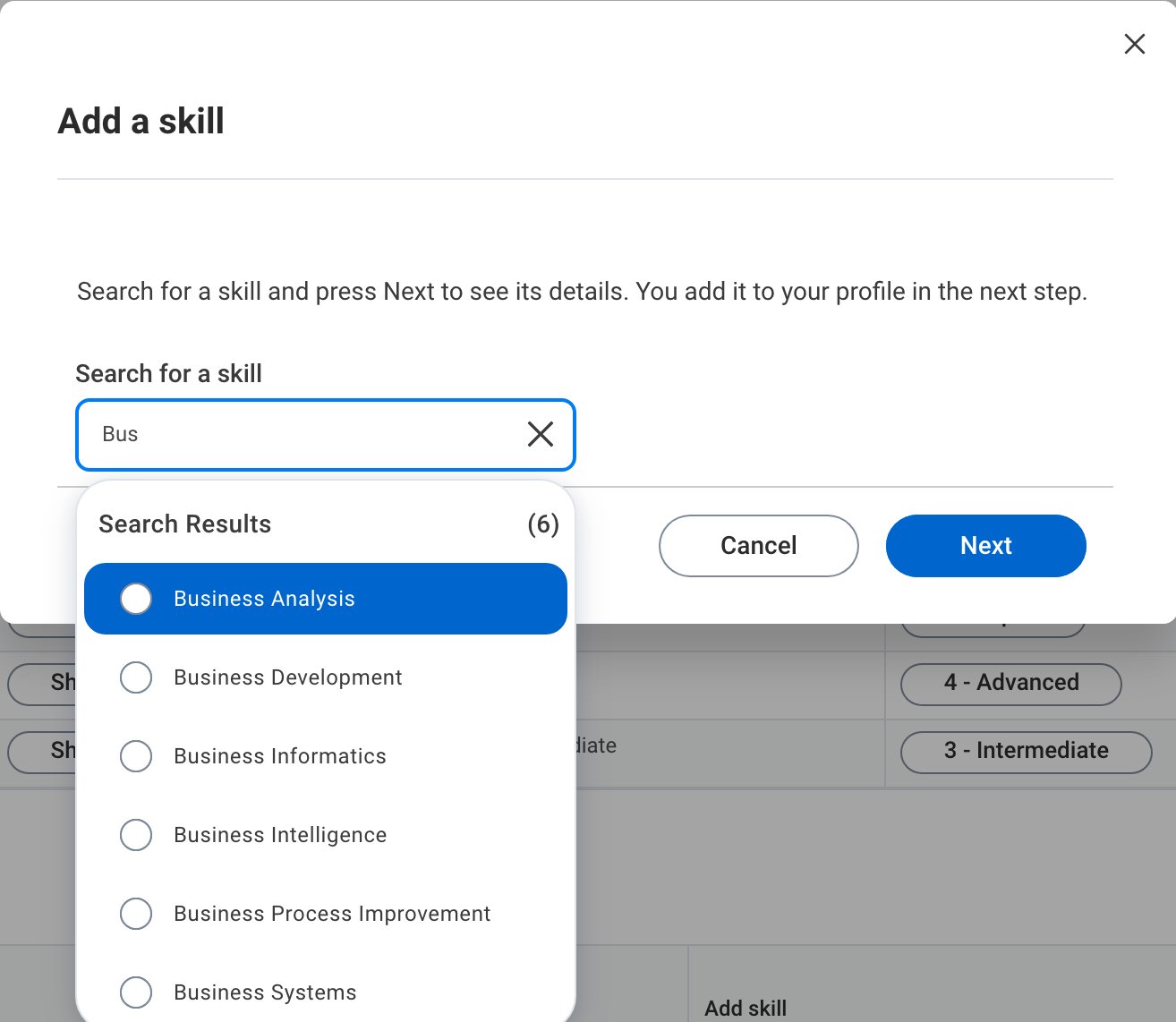
The **Add a skill** button opens a search over the skill vocabulary. Skills
already on the profile are left out of the results.
## Example: Adding a skill
The **Add a skill** button opens a search over the skill vocabulary. Skills
already on the profile are left out of the results.
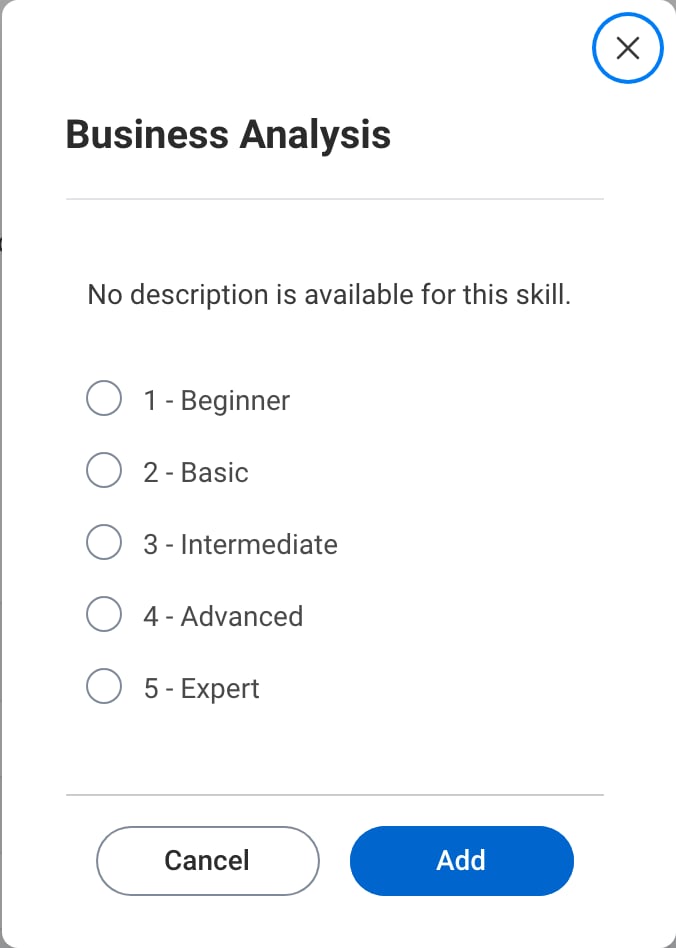
 After picking a result and pressing **Next**, the Employee sees the skill
description and, when proficiency levels are used, picks their level. Pressing
**Add** adds the skill to the profile.
After picking a result and pressing **Next**, the Employee sees the skill
description and, when proficiency levels are used, picks their level. Pressing
**Add** adds the skill to the profile.
 This documentation is built and hosted on [Mintlify](https://mintlify.com), a developer documentation platform.